
Introduction
In the world of network cabling, understanding the differences between Cat5e, Cat6, Cat6a, Cat7, and Cat8 cables is essential for optimizing your network performance. These cables are designed to meet varying bandwidth, frequency, and shielding requirements, depending on the specific needs of the installation environment. Let’s explore each cable type in detail to help you make the best choice for your network infrastructure.
Ethernet Cable Categories: Key Differences
1. Cat5e Cable (Category 5e)
-
Bandwidth: Up to 100 MHz
-
Frequency: Suitable for 10/100/1000 Mbps Ethernet speeds
-
Shielding Structure: Typically unshielded twisted pair (UTP)
-
Applications: Ideal for home networks, small office setups, and applications requiring standard data transmission speeds.
2. Cat6 Cable (Category 6)
-
Bandwidth: Up to 250 MHz
-
Frequency: Supports 1 Gbps (Gigabit Ethernet) and up to 10 Gbps for shorter distances
-
Shielding Structure: Unshielded twisted pair (UTP) or shielded twisted pair (STP)
-
Applications: Perfect for high-speed networks in offices and data centers, offering better performance than Cat5e.
3. Cat6a Cable (Category 6a)
-
Bandwidth: Up to 500 MHz
-
Frequency: Supports up to 10 Gbps at distances of up to 100 meters
-
Shielding Structure: Shielded twisted pair (STP) to reduce crosstalk and interference
-
Applications: Ideal for high-performance environments such as data centers and large enterprise networks, where high-speed data transfer is required.
4. Cat7 Cable (Category 7)
-
Bandwidth: Up to 600 MHz
-
Frequency: Supports 10 Gbps Ethernet speeds at lengths up to 100 meters
-
Shielding Structure: Fully shielded twisted pair (F/UTP), with an overall shield to further protect against interference
-
Applications: Best suited for data centers, industrial networks, and environments requiring high shielding against electromagnetic interference (EMI).
5. Cat8 Cable (Category 8)
-
Bandwidth: Up to 2000 MHz
-
Frequency: Supports 25 Gbps or 40 Gbps Ethernet speeds at shorter distances (up to 30 meters)
-
Shielding Structure: Fully shielded twisted pair (S/FTP), ensuring minimal crosstalk and external interference
-
Applications: Primarily used in high-performance data centers for short-range, high-speed connections.

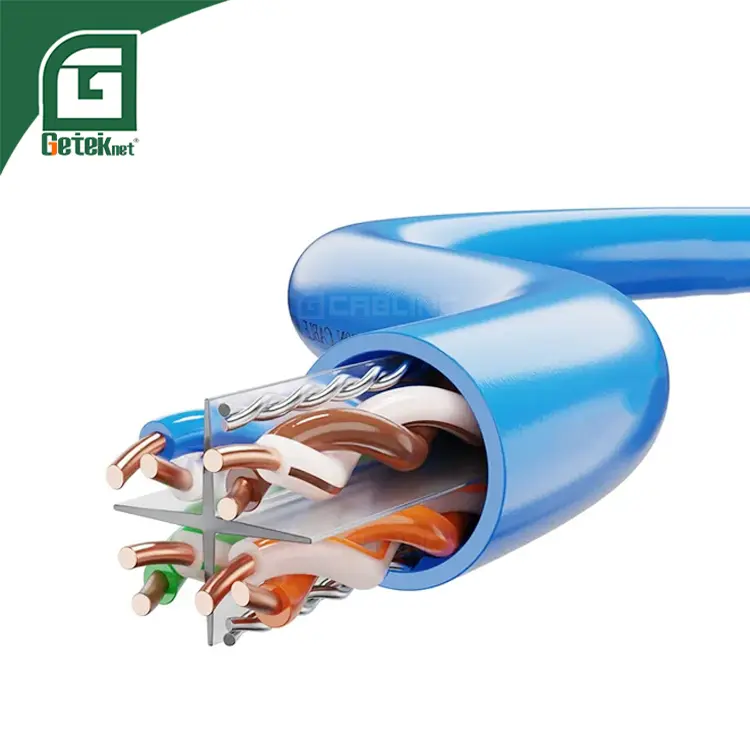
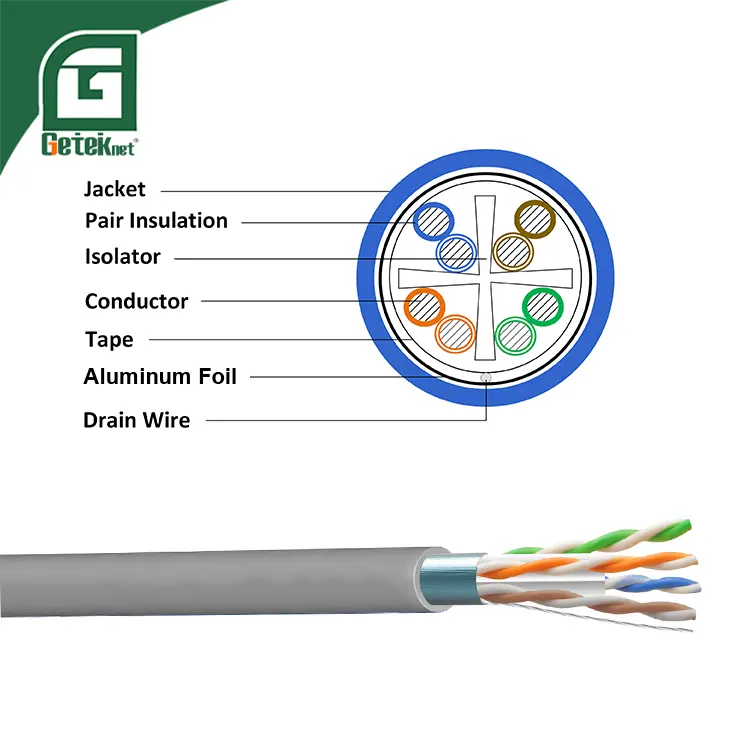
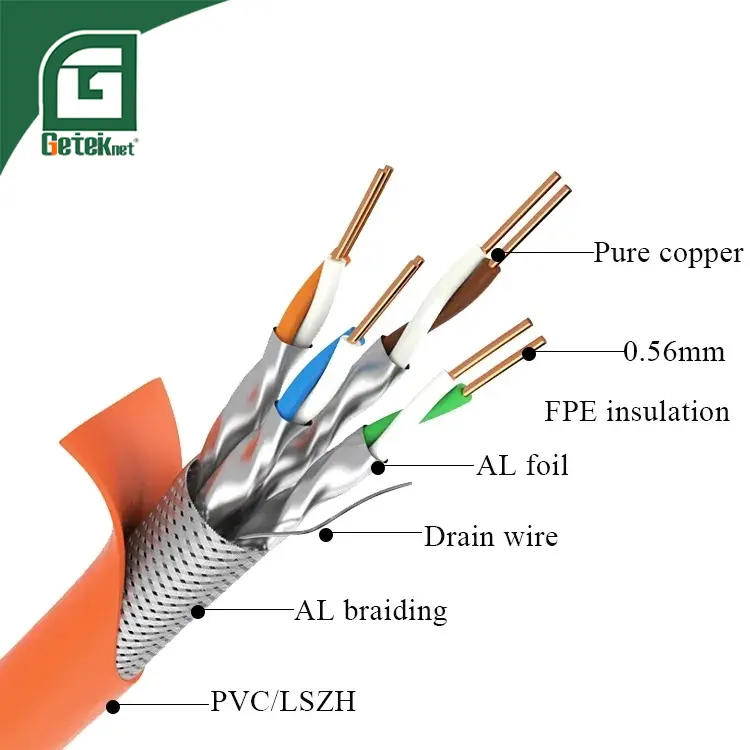
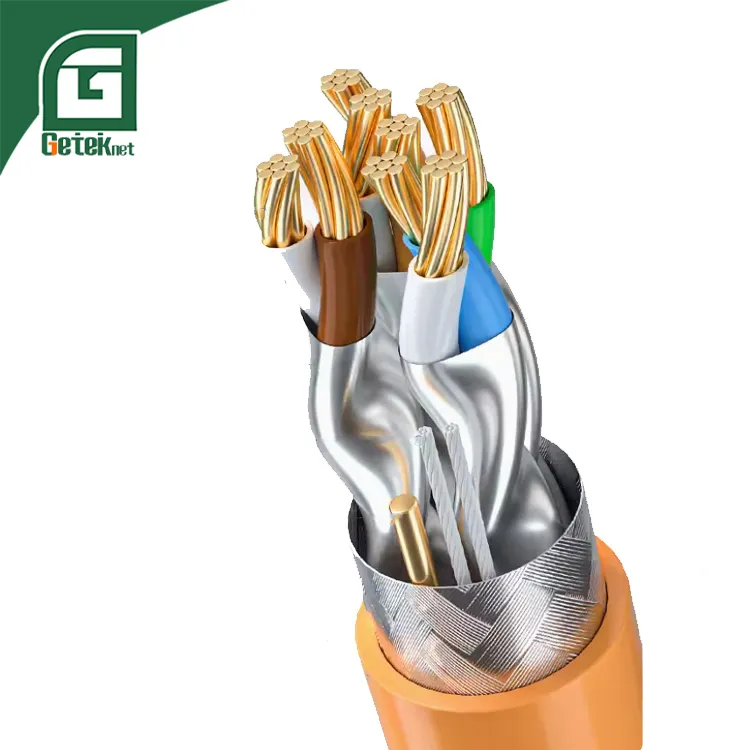
Ethernet Cable Shielding Types: UTP, FTP, STP, SFTP Explained
Before comparing these cable types, let’s clarify the abbreviations:
-
“TP” = Twisted Pair (the cable itself)
-
“U” = Unshielded
-
“F” = Foil shielding (aluminum foil)
-
“S” = Braided shielding (metal mesh)
1. UTP (Unshielded Twisted Pair)
-
No shielding layer.
-
Most common in Cat5e & Cat6 cables.
-
Easy to install and maintain.
-
Best for basic networks (<250MHz bandwidth).
2. FTP (Foil Shielded Twisted Pair)
-
Features an outer foil shield (F/UTP) or individual foil shielding (U/FTP).
-
Better EMI resistance than UTP.
-
Reduces signal interference in noisy environments.
3. STP (Shielded Twisted Pair)
-
Each pair has individual foil shielding, plus an overall braided shield.
-
Stronger interference protection than FTP.
-
Ideal for high-speed networks and secure data transmission.
4. SFTP (Double-Shielded Twisted Pair)
-
Combines foil + braided shielding for each pair and overall cable.
-
Maximum EMI resistance, minimal signal loss.
-
Used in high-interference environments (e.g., data centers, industrial setups).
Conclusion
Selecting the right Ethernet cable—whether Cat5e, Cat6, Cat6a, Cat7, or Cat8—depends on bandwidth needs, shielding, and environment. For high-speed data transmission, Cat6a and Cat7 are ideal for enterprises, while Cat8 ensures future-proof Ethernet cabling for data centers.
For OEM solutions, ensure compliance with network cable standards like TIA/EIA-568 for optimal performance.
👉 Looking for a reliable OEM network supplier? Contact GETEKnet today to discuss your specifications and get a custom quote.

 Spanish
  English
  German
  Italian